


Bangs Simulator: Cut Them on a Photo First
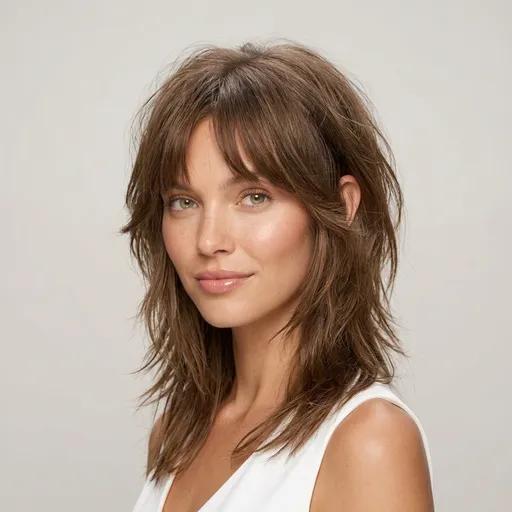
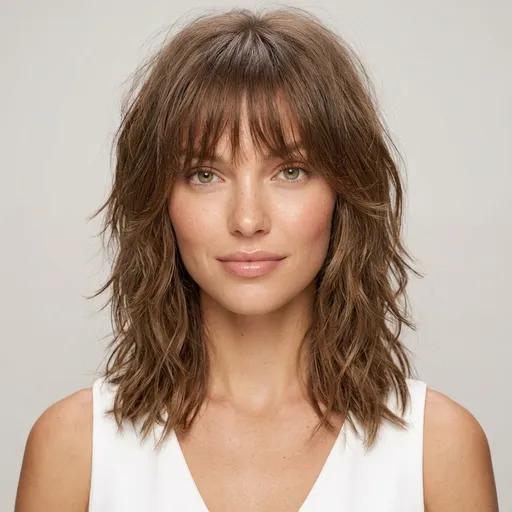
A bangs simulator shows you your own face with bangs before anyone cuts them: one selfie, any of 19 styles from curtain to blunt, rendered in about ten seconds. The pair of photos below is a real, unedited result. If it looks wrong, you delete a photo instead of growing out a fringe for a year.
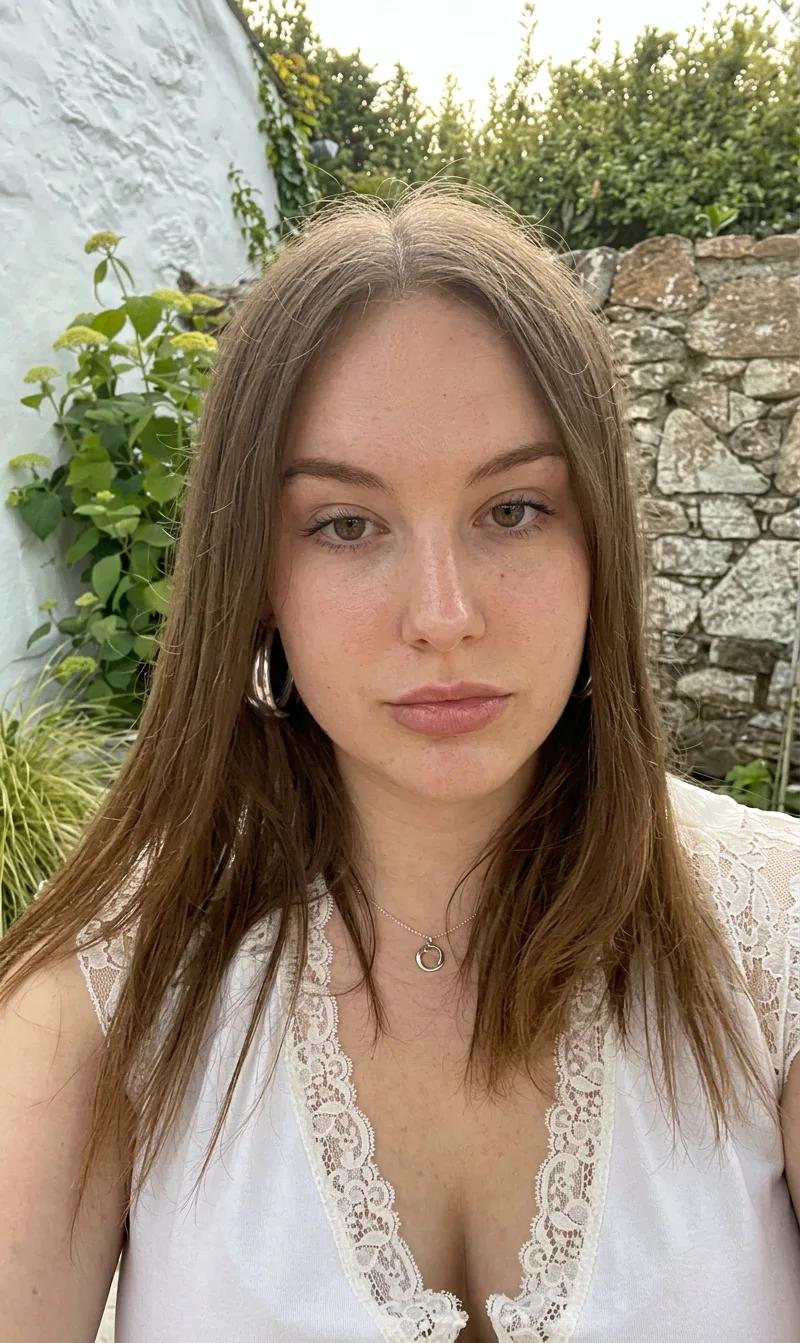
Center part, forehead in full view
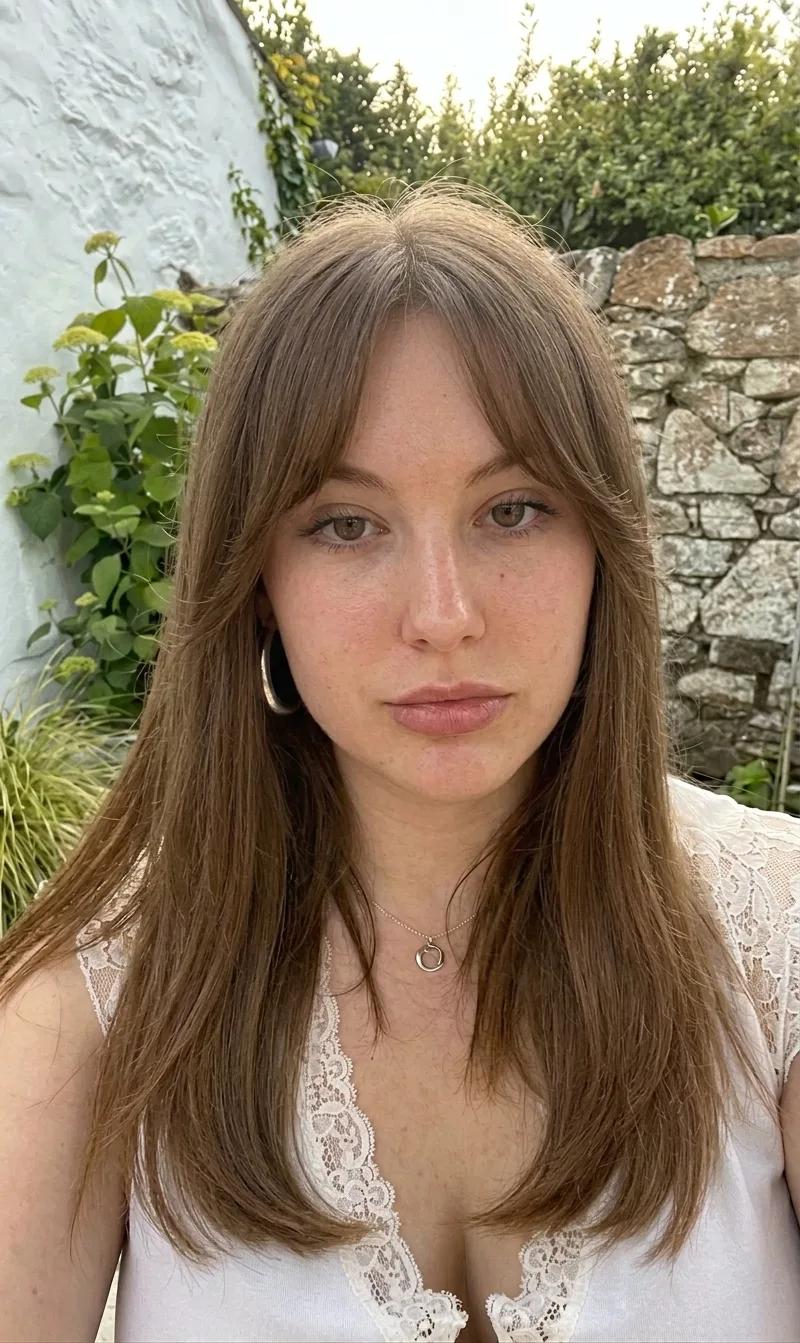
Same photo, one AI render
An unedited render from this simulator: curtain bangs on one selfie. The version on the left took ten seconds to become the version on the right. The scissors version takes over a year to reverse.
Bangs Filter, Clip-Ins, or Simulator? Every Preview Method, Compared
People have invented five ways to answer "how would I look with bangs" without committing. They are not equal. Most of them show you someone else's fringe on your face and let you make a year-long decision from it:
| Method | What you actually see | Your real hairline? | Bangs types | Cost of being wrong |
|---|---|---|---|---|
| AI bangs simulator | Your photo re-rendered with the actual cut: hairline, density, lighting included | Yes: it edits your real hair | 19 typed styles, curtain to blunt | Nothing: delete the render |
| AR bangs filter | A fringe overlay tracked onto live video | No: a generic sticker floats over your forehead | Usually one generic fringe | Nothing, but you decide off a costume |
| Clip-in bangs | Real synthetic hair, physically on your head | No: color and texture match is a lottery | Whatever you order (~$10–25) | A cheap purchase and a visible seam |
| Folding your own hair forward | Your hair pinned into a mock fringe | Partly: real hair, wrong direction and bulk | One, badly | Free and famously misleading |
| Just cutting them | Perfect accuracy | Yes | All of them | A year of grow-out if you guessed wrong |
The verdict is in the second column. A "bangs filter" in the Instagram sense is a costume; a photo simulation is a prediction. Only two rows in that table use your real hairline, and one of them costs you a year if it's wrong.
The Four Renders to Run in Your First Session
Don't simulate one bangs style and decide. Each type answers a different question about your face, and the four below cover the spectrum. Run all four, then fine-tune inside the winning family. (If you're still at "should I get bangs at all?", that's a different page: would bangs suit me gives you the face-shape verdict first.)
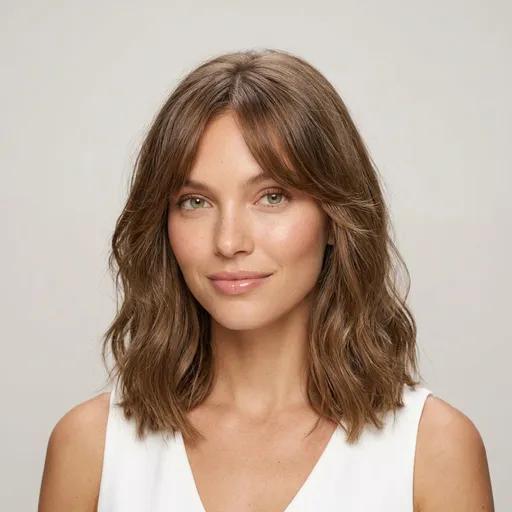
Render 1 · Curtain
Does a center part hold on your face?
Best for Oval · Round · Heart
Straight–wavy (1B–2B)
Watch where the fringe splits: curtain bangs live or die on whether the two swept sides frame your cheekbones or just hang. This is the render to start with. It is the most forgiving cut in the set and the one people book most.
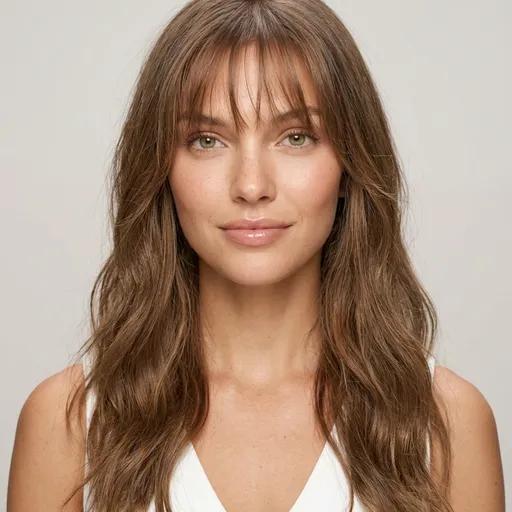
Render 2 · Wispy
Do you want forehead coverage you can see through?
Best for Oblong · Oval · Heart
Straight (1A–2A)
Check the transparency: wispy bangs should show skin between the strands. If the render reads as a solid block on you, your density wants a deeper, softer version. Tell your stylist exactly that.
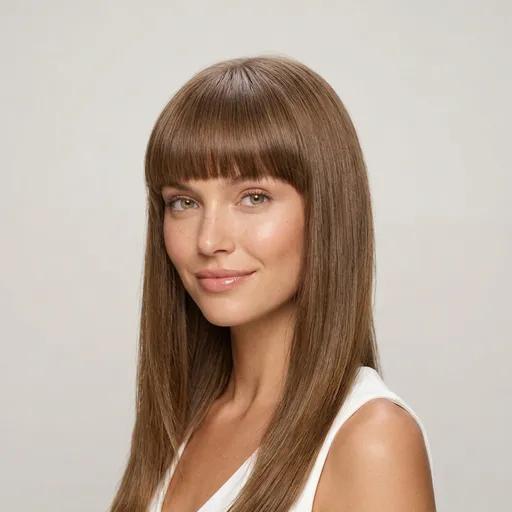
Render 3 · Blunt
Can your face carry a hard horizontal line?
Best for Oblong · Rectangle
Straight only (1A–1C)
The extreme of the set, and the reason to simulate before cutting: a straight-across line either sharpens your whole face or shortens it. Look at your eyes first: blunt bangs push all the attention there.
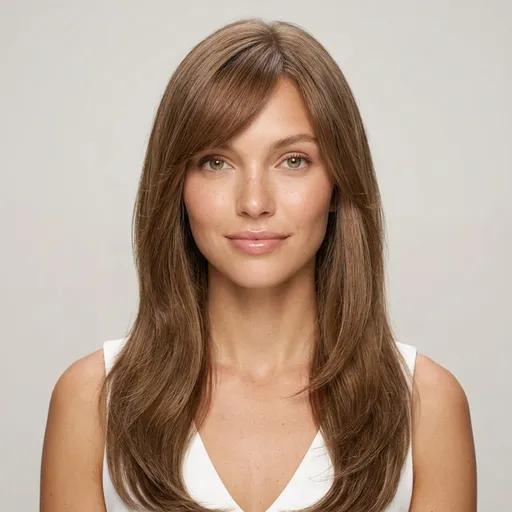
Render 4 · Side-swept
Does a diagonal flatter you more than a curtain?
Best for Round · Square · Heart
Straight–wavy (1B–2B)
Compare this render directly against the curtain one: same commitment, different geometry. The diagonal keeps more forehead visible on one side, which is why it often wins on rounder faces.
Renders 1 and 4 are the classic tiebreak. We wrote up the full head-to-head in curtain bangs vs side bangs. And if the reason you're here is forehead height rather than fashion, bangs are the textbook fix: see hairstyles for a big forehead.
The Most-Simulated Bangs Right Now
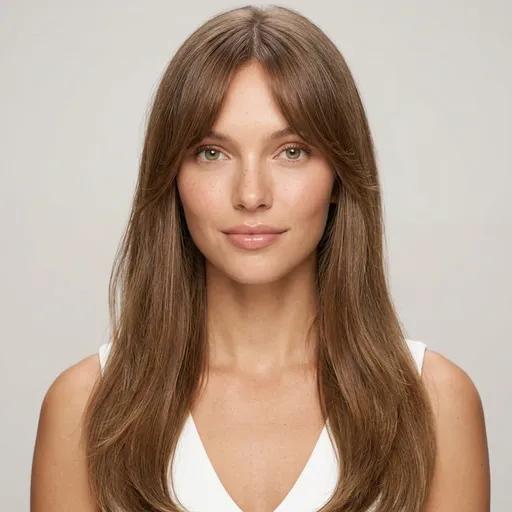
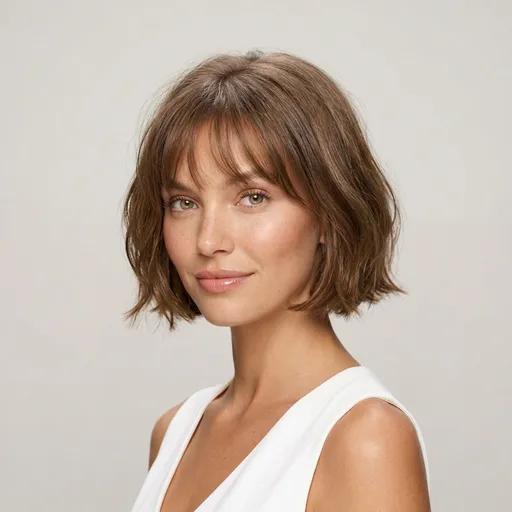
Counted from 23,035+ completed renders by 17,448+ people inside the app, not an editorial ranking. The pattern is one-directional: soft, grow-out-friendly fringes dominate, and the curtain family alone takes 31% of all bangs renders. People simulate the bangs they might actually book.
The Grow-Out Math: What a Wrong Guess Actually Costs
Bangs are the most reversible haircut in theory and the slowest in practice. Here is the honest timeline of undoing them, month by month. It's the ledger that makes a ten-second simulation worth running:
| Time since the cut | Fringe length | What life looks like |
|---|---|---|
| Week 0 | Brow-grazing | The fresh cut: this is what the simulator shows you, and the best your bangs will ever sit without effort. |
| Months 1–2 | In your eyes | The regret window. Hair grows roughly 1.25 cm a month, which parks the fringe exactly at your lash line. Trim it or pin it. There is no third option. |
| Months 3–5 | Cheekbone | Tuckable at last. A grown-out fringe starts behaving like curtain bangs on its own. That’s one reason stylists call curtain the exit ramp. |
| Months 6–9 | Jaw-adjacent | Reads as face-framing layers rather than bangs. Blends into a bob or long layers without announcing itself. |
| Month 12+ | Chin and past it | Fully grown out. A brow-length fringe sits about 15 cm short of your chin, so the round trip from cut to gone is over a year. |
Read the table bottom-up and the asymmetry is stark: preview in seconds, commit in one salon visit, unwind over 12+ months. No other haircut decision has odds shaped like that. It's why bangs, more than any other cut, deserve the photo test first.
Searching "Fringe Simulator"? Same Tool, British Spelling
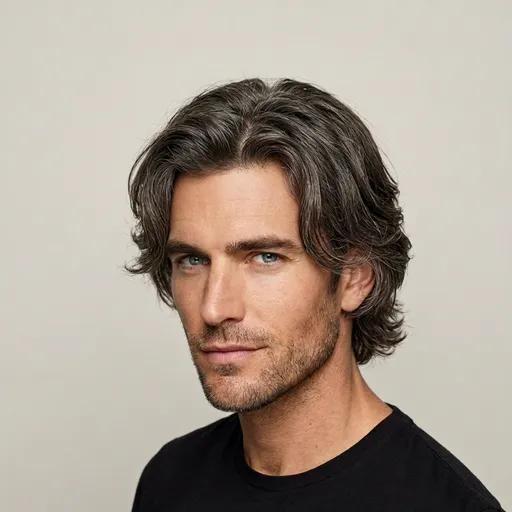
Bangs and fringe are the same haircut: "bangs" is the American word, "fringe" the British and Australian one. Every style on this page previews identically whichever word you searched. The fringe vocabulary matters most on the men's side, where nobody says bangs at all: the catalog carries three fringe-forward men's cuts, rendered 4,216 times in the app so far.
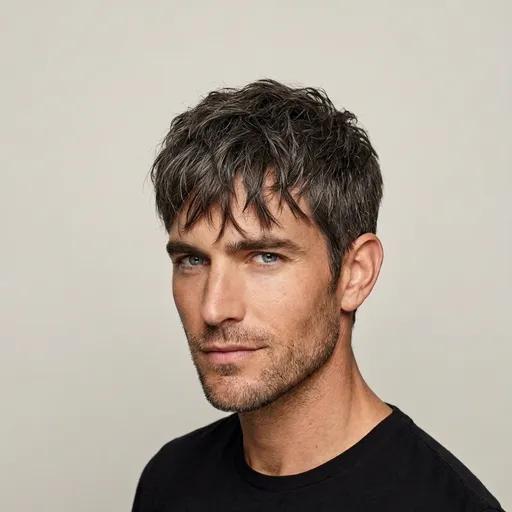
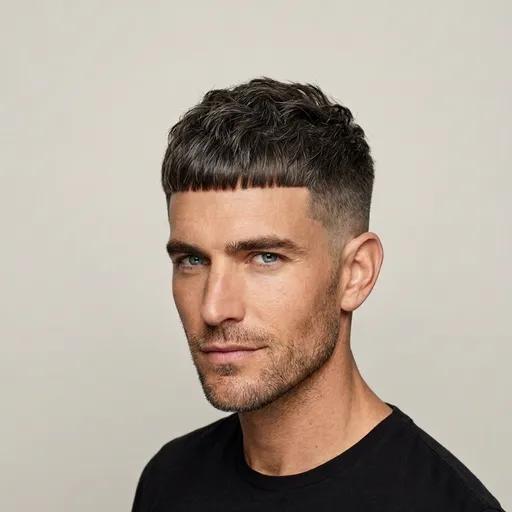
A men's fringe usually solves a different problem than women's bangs: a high or receding hairline rather than face length. If that's your case, the fringe is one of several answers: the AI hairstyle recommender reads your hairline from the same selfie and proposes the full shortlist.
Turn the Render Into a Stylist Brief
The most expensive sentence in a salon is "just, like, some bangs?" Every fringe has four variables: depth of the section, length at the center, length at the sides, and how the ends are cut. A verbal description pins down none of them. A simulator render pins down all four on your own face, a better brief than any celebrity photo: your stylist sees the target and the exact head it has to work on.
What to say, word for word
"I want curtain bangs like this render: brow-grazing at the center, cheekbone-length at the sides, soft point-cut ends, parted where my part already falls. Before you cut: does my hairline have a cowlick that fights this?"
That last question is deliberate. The one thing a photo simulation cannot measure is how your hair grows at the hairline. A strong front cowlick can push a fringe sideways no matter how it's cut. Bring both photos, ask the question, and you've covered the decision from both ends: the simulator proved the look, the stylist confirms the physics.
How the Bangs Simulator Works
Upload a photo with your forehead visible
One front-facing selfie, hair worn the way you normally wear it, no filter. The forehead is the exact region the AI is about to repaint. Keep it in view.
Run the bracket: curtain first, blunt second
The forgiving end and the bold end of the fringe spectrum. Two renders bracket the decision; the other 17 styles fine-tune it.
Save the winner as your salon brief
Each render keeps your face, skin, and lighting untouched, so the photo you leave with is the photo your stylist works from.
Frequently Asked Questions
Is there a free bangs simulator?
HaircutAI is free to start: upload a selfie, get your face analysis, and see results in about 10 seconds. Rendering the full library of 19 bangs and fringe styles at high resolution is part of the premium plan. For scale: the cheapest bangs mistake still costs you months of pinning your hair back. The simulator's job is making sure the scissors only come out once.
What's the difference between a bangs filter and a bangs simulator?
A bangs filter is an AR overlay: a pre-drawn fringe tracked onto your live camera, the same sticker on every face. A bangs simulator edits a photo of you: the AI redraws your actual hair with the cut, so the fringe carries your color, your density, and your lighting. Filters are entertainment; the simulator output is something you can hand to a stylist as a brief. If you've tried a bangs filter and thought 'that doesn't look like me', that's the difference you were seeing.
How accurate is a bangs simulator?
Accurate on the question that matters: proportion. The render shows how a fringe changes the balance of your face using your real features, which is the yes-or-no evidence you need. What no photo tool can test is how your hair behaves when cut: a strong cowlick at the front hairline or very fine density can fight a fringe in real life. So treat the simulator as the decision and your stylist as the feasibility check. Bring the render to the consultation and ask both questions at once.
Which bangs should I simulate first?
Curtain bangs first, blunt bangs second. That order is strategy, not taste. Curtain is the most forgiving fringe and the most-tried in our app (the curtain family accounts for 31% of all bangs try-ons), so it tells you whether bangs work on you at all. Blunt is the opposite extreme: a hard straight line and the boldest version of the idea. Those two renders bracket the whole decision. Everything else is a point between them.
Does the bangs simulator work for men?
Yes. The catalog carries three fringe-forward men's cuts: curtain hair, the textured fringe, and the French crop, and together they've been rendered 4,216 times in the app. Men's fringes answer a slightly different question than women's bangs, usually a receding or high hairline rather than face length. But the mechanic is identical: forehead coverage, previewed on your own photo before a barber commits to it.
How long do bangs take to grow out if I hate them?
Longer than anyone expects: hair grows about 1.25 cm (half an inch) a month, and a brow-length fringe sits roughly 15 cm short of chin length, so a full grow-out runs over a year. The worst stretch arrives early, around months one to two, when the fringe sits exactly at your lash line and can neither be worn nor ignored. Ten seconds to preview, a year to undo. That asymmetry is the entire argument for simulating first.
What photo gives the best bangs simulation?
One front-facing photo with your whole forehead visible: hair pushed back or parted as you normally wear it, even lighting, no beauty filter. The forehead matters more here than in any other try-on. It's the exact region the AI is about to repaint, so don't hide it under a hat or a shadow. If you wear glasses daily, keep them on; bangs and frames share the same third of your face and you want to judge them together.
Related Tools & Guides
Ten Seconds on a Photo. Or a Year on Your Face.
Every bangs regret story starts with "I thought they'd look different." The simulator removes the thought part: your face, real curtain, wispy, blunt, and side-swept renders, before any scissors. Free to start.